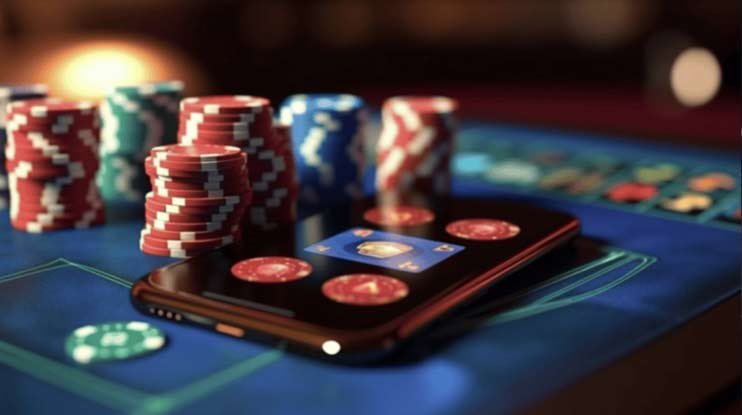
Android · iOS · Browser

Download the App from 9060 Bet and Play Wherever You Want, Whenever You Want

The 9060 bet app puts slots, live casino, Pix deposits and all platform features in the palm of your hand. Lightweight, fast and built for everyday use — works well even on 4G connections.

Android 7.0+ iOS 13+ Browser
9060 bet
Android Direct APK, no app stores
iOS Via Safari browser
Pix Deposit in seconds
24h Support available

Choose how you want to access 9060 bet

The app is available for Android via APK and for iPhone via browser. Both options offer the full platform experience.

🤖

Android

The 9060 bet app for Android is distributed as an APK file — it's not on the Google Play Store, so you install it directly from our site in a few steps. It's secure, the process is simple and takes less than two minutes.

  • Minimum version Android 7.0 (Nougat) or higher
  • Space Approximately 45 MB free
  • RAM 2 GB recommended
  • Connection 4G, Wi-Fi or higher
  • Permission "Unknown sources" enabled in settings
Download Android APK

Verified file · Latest version

🍎

IPhone / iPad (iOS)

On iOS, Apple restricts the installation of external APKs. The best way to use 9060 bet on iPhone or iPad is to access the site via Safari and add it to your home screen — you'll have an experience very close to a native app, with its own icon and no address bar.

  • Minimum version iOS 13 or higher
  • Browser Safari recommended
  • Space No local installation required
  • Connection 4G, 5G or Wi-Fi
  • Compatible iPhone, iPad and iPod Touch
Access via Safari

No download · Works directly in the browser

How to install the app on Android

The APK installation process for 9060 bet is straightforward. Follow the steps below and in less than two minutes you'll be playing.

1
Open this page on your phone

Open your Android browser — Chrome, Firefox, or any other — and go to the 9060 bet download page. You can use the link on this page.

2
Tap "Download Android APK"

The APK file will start downloading automatically. Depending on your connection, the download takes between 10 and 30 seconds.

3
Allow installation from unknown sources

Android will ask for confirmation to install files from outside the Play Store. Go to Settings → Security → Unknown sources and enable the option for your browser. On more recent versions of Android, this prompt appears directly on the installation screen.

4
Open the file and install

Tap the download complete notification or locate the APK file in your Downloads folder. Tap "Install" and wait a few seconds.

5
Open the app and log in

The 9060 bet icon will appear on your home screen. Open it, log in with your account or create a new one and start playing.

Note: After installation, you can return to the security settings and disable the "unknown sources" permission if you prefer. This does not affect the app already installed.

9060 bet

9060 bet – Simple APK installation on Android

Compatible Android devices
Android version Compatibility Performance
Android 7.0–8.1 Compatible Basic
Android 9–10 Compatible Good
Android 11–12 Compatible Very good
Android 13+ Recommended Excellent
9060 bet

9060 bet – Access via Safari on iPhone

How to use 9060 bet on iOS

Apple does not allow the installation of external APKs on iPhone or iPad. But that does not stop you from having a full experience of the 9060 bet on iOS — just open it in Safari and add a shortcut to your home screen.

1
Open Safari on your iPhone or iPad

Use Safari — other browsers such as Chrome or Firefox on iOS do not allow adding the shortcut to the home screen the same way Safari does.

2
Visit 9060bet.vu

Enter the 9060 bet address in the address bar and wait for the page to load completely. The mobile version is already optimized for iPhone.

3
Tap the share icon

In Safari's bottom bar, tap the share icon (square with an arrow pointing up). Scroll the menu until you find the option "Add to Home Screen".

4
Confirm the name and add

IOS will automatically suggest the name "9060 bet". Tap "Add" in the upper right corner. The icon will appear on your home screen just like a regular app.

5
Open via icon and play

From now on, every time you tap the 9060 bet icon on your home screen, the site opens in full screen without the Safari toolbar, leaving more room for the games.

iOS tip: When opened via the home screen shortcut, Safari loads the site in "standalone" mode — no address bar, with a look and feel closer to a native app. Your balance, history, and preferences are saved as normal.

Advantages of playing through the 9060 bet app

The app from 9060 bet was built with the Brazilian mobile experience in mind — variable connections, screens of different sizes, and the need to access everything quickly and without hassle. See what changes when you play through the app instead of a desktop browser.

Faster loading

The app is optimized to load games faster than the desktop version. On average 4G connections, slots open in seconds without freezing.

Interface built for touch

Larger buttons, swipe gestures to navigate between games, and a layout designed with your thumb in mind. No more zooming in to tap tiny buttons.

Promotional notifications

Get alerts when there are active bonuses, free spins available, or special promotions — directly on your phone, without needing to open the app.

Biometric login

On Android, you can use your fingerprint to log into your account without typing your password every time. Secure and much faster for everyday use.

Pix integrated in the app

Deposit and withdraw directly through the app. The Pix QR Code appears on screen and you pay through your bank in seconds, without leaving the app.

Landscape mode for slots

Rotate your phone to landscape and slots get more screen space. Ideal for games with many reels like Megaways and live casino titles.

Comparison: The desktop browser version is great for those who prefer a larger screen. The mobile app is for those who want convenience — playing during a break, on the go, or without needing to turn on a computer.

9060 bet

9060 bet – Full experience on the mobile app

App vs Desktop Browser
Feature Mobile App Desktop
Integrated Pix ✔ Yes ✔ Yes
Biometrics ✔ Android — No
Notifications ✔ Yes — No
Landscape mode ✔ Yes ✔ Yes
Large screen — Smaller ✔ Better
No install IOS only ✔ Yes

Everything you need to know about the 9060 bet app

Why isn't the app on the Google Play Store?

This is a very common question among users downloading 9060 bet for the first time. The answer is simple: Google Play and Apple's App Store policies restrict or make it difficult to publish betting and casino apps in several regions, including Brazil. For this reason, distribution is done directly through the platform's website, via APK for Android.

This is a common practice in the market — most online entertainment platforms operate this way in the country. The APK file available at 9060 bet is the same that would be distributed in any store: it goes through a security check before being made available for download.

Is the 9060 bet app safe?

Yes. The APK provided by 9060 bet is digitally signed by the platform itself and contains no adware, spyware, or any malicious code. You can verify the file signature before installing — on the Android installation screen, the developer name appears for confirmation.

Communication between the app and servers is handled via HTTPS with SSL encryption, the same standard used by banks and financial services. Your login data, CPF information, and Pix transactions are all transmitted in encrypted form.

Does the app use a lot of mobile data?

It depends on the type of game. Slot games use an average of 3 MB to 8 MB per 30-minute session on a 4G connection — well below what you would use watching a YouTube video. Live Casino uses more data because it streams live video; in one hour of play, usage can reach 200–400 MB depending on stream quality.

To save data, the 9060 bet automatically adjusts video quality based on your connection speed. If the 4G signal is weak, the app reduces the resolution to keep the game running smoothly without freezing.

How do I update the app when a new version is released?

The 9060 bet app automatically checks for a newer version every time you open it. When an update is available, a notification will appear inside the app with the option to download and install the new version. The process is the same as the initial installation — tap download, wait, and install on top of the previous version without needing to uninstall anything.

Keeping the app updated is important: updates bring performance fixes, new games to the library, and security improvements. If you prefer, you can also manually download the latest version on this same page whenever you want.

Can I use the same account on mobile and desktop?

Yes, with no restrictions. Your balance, betting history, active bonuses, and account settings are synced in real time across all devices. You can start a slots session on your phone during lunch and continue on your computer at home — the experience is the same, just adapted to the screen size.

This also means you don't need to create a second account to use on mobile. A single registration at 9060 bet gives you access to the platform on any device, as many times as you want.

What to do if the app freezes or won't open?

The first step is to fully close the app and reopen it. If the problem persists, clear the app cache in your Android settings — this resolves most loading issues. In rarer cases, uninstalling and reinstalling the latest APK will fix any file inconsistencies.

If the crash happens in a specific game, it may be a temporary issue with that title's provider. Try another game to check whether it's a general or specific problem. The support team at 9060 bet is available 24 hours to help with any technical issue.

Reminder: The 9060 bet app is intended exclusively for users aged 18 and over. Use is for entertainment — set deposit and playtime limits in your account settings. To learn more, visit the Responsible Gaming.


Quick questions

Do I need root to install?

No. The APK installs normally on any Android without root.

Does the app work offline?

No. An active connection is required to play and access your balance.

Does it work on Android tablets?

Yes. The interface automatically adapts to larger screens.

Can I have two apps installed?

Not required. A single APK gives access to everything on the same account.

Does Pix work through the app?

Yes. Deposit and withdrawal via Pix are available directly in the app.

What you'll find in the app
  • Slots with varied themes and modern mechanics
  • Live Casino with real dealers in Portuguese
  • Fish game with animated graphics
  • Integrated Pix deposits and withdrawals
  • Full history of plays and transactions
  • Live chat support within the app
  • Deposit limit and responsible gaming settings

Frequently asked questions about the 9060 bet download

We've compiled the most common questions from users installing the app for the first time.

Yes, downloading the 9060 bet APK is completely free. You pay nothing to download or install the app. What you deposit on the platform is your gaming balance — the app itself has no cost. Simply open this page on your Android device, tap the download button, and follow the installation steps.

Android has a default protection that blocks the installation of files from outside the Google Play Store. This is an operating system security measure, not an issue with the 9060 bet APK. To install, you need to allow the browser that downloaded the file to install apps from external sources. Go to Settings → Security (or Privacy, depending on your Android) → Install unknown apps and enable the permission for your browser. After installation, you can disable it again if you prefer.

The 9060 bet app is compatible with Android 7.0 or higher, which covers the vast majority of phones in use in Brazil today. On devices with less than 2 GB of RAM or older processors, the app works, but some live casino games with video streaming may run slowly. For a smoother experience on those devices, we recommend going with slots, which are less demanding in terms of hardware.

No. If you already have a 9060 bet account, simply log in with the same email and password you use on desktop. Your balance, history, and bonuses are synced automatically. If you don't have an account yet, you can register directly through the app — the registration process is the same as the desktop version and takes less than three minutes.

Yes. The game catalog in the app is the same as the desktop version — slots, Live Casino, fish games, and all lobby titles are available. Some very old games originally developed in Flash are not available on any modern version of the platform, but all current HTML5 titles work perfectly on mobile, both on Android and on iPhone's Safari.

In the 9060 bet app, tap "Deposit" in the main menu. Choose Pix as the payment method, enter the amount and confirm. A QR Code will be generated on screen — open your bank's app, scan the code and confirm the payment. The balance is credited to your 9060 bet account in seconds, with no additional fee. For more details on limits and available methods, visit the Deposit.
Available now

Download the app from 9060 bet and play now

Android or iPhone, at home or on the go — 9060 bet is always available. Download the app, create your account, and make your first deposit via Pix in under five minutes.

Português (Brasil)